🤯 FastAPI: From a single file to 'Passing the Ball' (My Survival Cheat Sheet) 🐍
From a single main.py to separating responsibilities in FastAPI: my survival cheat sheet for not overcomplicating things (and overcomplicating them anyway).
We have started looking at FastAPI at the bootcamp. At first, my plan was simple: focus on understanding and practising only and exclusively the teacher’s exercises. Not make life complicated for myself. Keep it simple.
But… oh, surprise! 🙄 I can’t.
I have done the basic CRUD two or three times (all crammed into a single main.py, brute force style) to make sure I understand the GET, POST, PUT and DELETE routes. So far, so good. The traffic light is green. ✅
🐛 The data “bug” and my distractions
At this point, this can get as complicated as you want it to. And I confess that SQL and Mongo have left me with the “bug”. Listen, I genuinely liked them! ❤️
So, while I wait for my brain to collapse again from too much information with FastAPI, I have started messing about with DataLemur and RankScores. 🚨 Spoiler: There are a billion things I do not know. Do I get frustrated? No (well, a bit), but it helps me learn new syntax and new ways of solving logic problems.
🛠️ The discovery of the century: REST Client
Before moving on to the technical part, I have to declare my love for the REST Client plugin for VS Code. It is genius! 🤩 (the teacher said it, eh?? I am not pro enough to discover that kind of thing myself! 🤣)
The best part is that you can define variables (@host, @port) at the top of the file. That way you do not have to write http://localhost:8000 seventy times. If you change the port, you change it in one line and that is it. Pure magic. ✨
📝 The Definitive Cheat Sheet: Architecture in FastAPI
Right, here comes the good stuff. FastAPI moves on and we have gone from having everything in one main.py file to having thirty thousand different files asking each other for information.
Basically, the code plays “pass the ball” 🏀:
1-The Main takes the hit.
2-It passes it to the Route.
3-The Route passes it to the Controller.
4-The Controller calls the Model.
And back again with the response.
Understanding who asks what of whom is the key to all of it. So I am leaving this written down here for when my memory decides to fail (that is, tomorrow 🤣).
Step 1: The Architecture 🏗️
The first thing is to organise the house. No loose files.
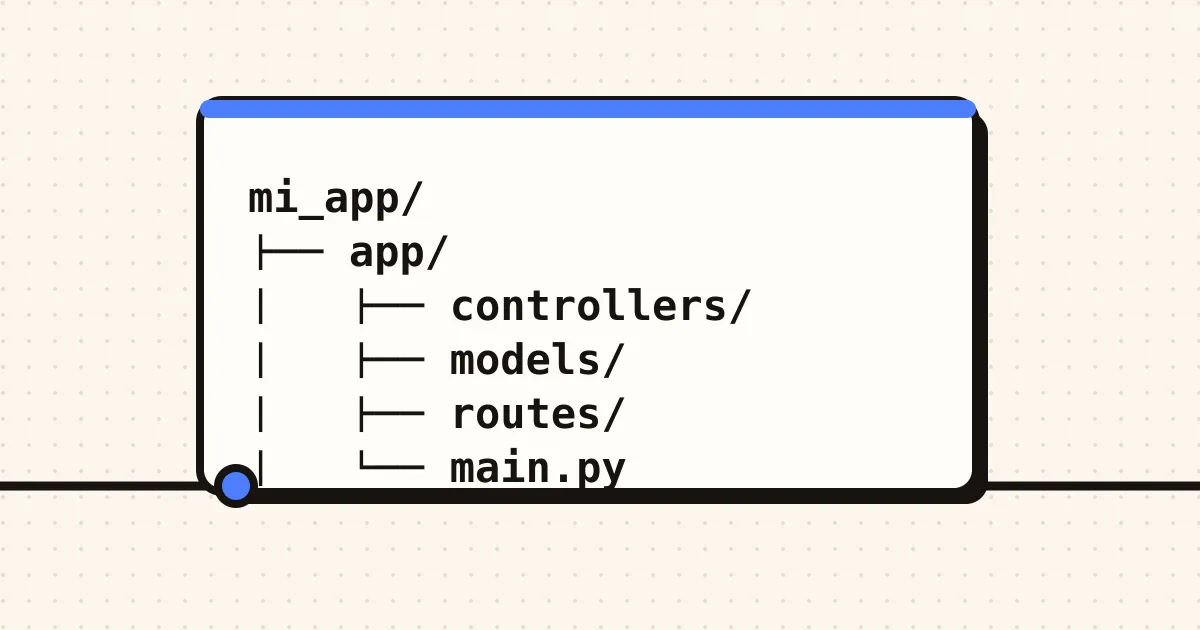
mi_app/
├── app/
│ ├── controllers/ # The logic (the brain)
│ ├── models/ # The data and schemas (the shape)
│ ├── routes/ # The URL addresses (the map)
│ └── main.py # The entry point (the door)
Step 2: The Virtual Environment (Windows/Git Bash) 💻
Create the bubble so nothing explodes outside it
Create the environment
python -m venv .venv
Activate the environment (watch the path in Git Bash)
source .venv/Scripts/activate
Step 3: Installation and Requirements 📦
All of it based on the FastAPI documentation, their website explains everything step by step:
pip install “fastapi[standard]”
pip freeze > requirements.txt
and to launch the rocket 🚀: fastapi dev app/main.py
Step 4: The “Pass-the-Ball” Code 🏀
1. main.py (The Door)
Here we only initialise and call the routes. No logic happens here.
from fastapi import FastAPI
from routes import ejemplo_routes # We import the routes file
app = FastAPI()
We connect the “power strip” of routes to the main socket
app.include_router(ejemplo_routes.router, prefix=‘/ejemplo’, tags=[‘ejemplo’])
2. routes/ejemplo_routes.py (The Map)
Here we define what the user asks for and which status codes we return.
GET -> 200 OK (All good).
POST -> 201 Created (I have created something new).
PUT/DELETE -> 200 OK (Or sometimes 204 if you return nothing).
from fastapi import APIRouter, HTTPException
from controllers import ejemplo_controller # We import the controller
router = APIRouter()
@router.get(‘/’, status_code=200)
def get_algo():
We pass the ball to the controller
return ejemplo_controller.traer_datos()
3. controllers/ejemplo_controller.py (The Brain
This is where we think. If something goes wrong, we throw errors.
404 Not Found: I cannot find what you are looking for.
400 Bad Request: You have sent me rubbish data.
from models.ejemplo_model import get_all_data # We import from the model
def traer_datos():
The logic would go here…
return get_all_data()
4. models/ejemplo_model.py (The Data)
Here we define what the data looks like. We use Pydantic (native to Python/FastAPI)
from pydantic import BaseModel
from typing import Optional
from fastapi import HTTPException # To throw errors if we do not find data
class MiDato(BaseModel):
id: int
nombre: str
edad: Optional[int] = None
And that is it. It looks like a lot of mess, but in the end it is just order and structure (something I often lack 💁♀️). As long as I do not forget to import the function before using it (mental note: always check the imports), everything will be fine! 🤘 let’s see what happens when we “throw in” databases! that scares me!!
Even so, there are days when I build one of these CRUDs and I feel like the best!!
Topics