🌍⚡ Connecting Angular to the real world and surviving
From technical chaos to the mental click: how I went from understanding Angular in theory to making it talk to real APIs, handle authentication errors, and feel like everything finally fits.
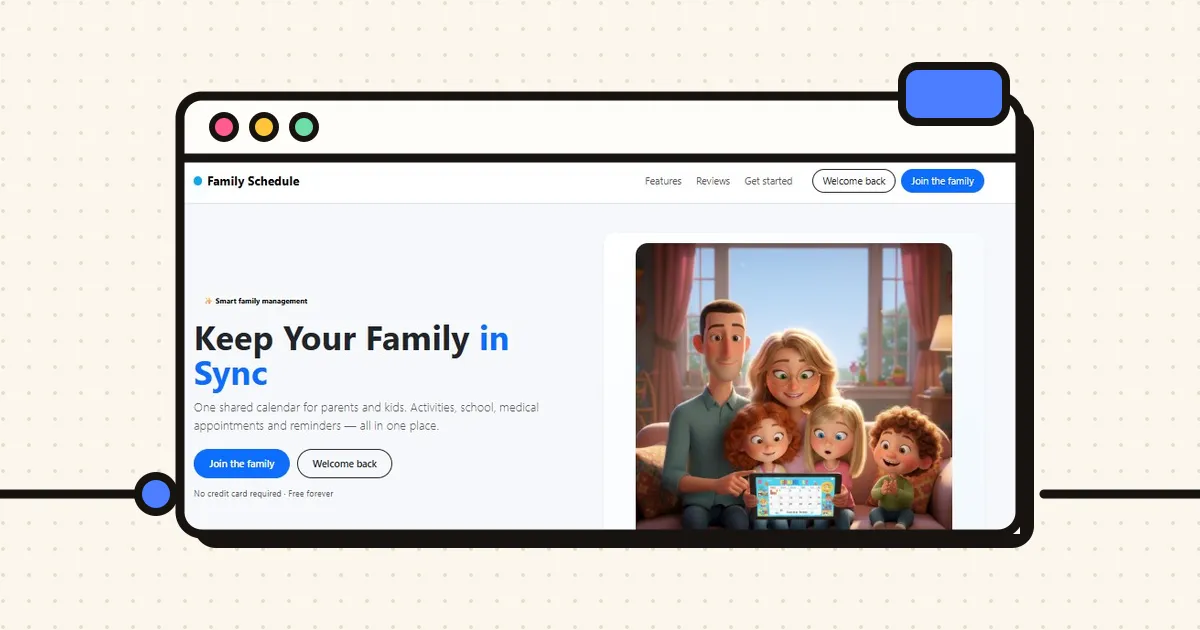
Onwards… and now the real chaos has begun 😂
In the previous post I left the project working online with login and registration, backend on Render, frontend on Netlify and database on Railway.
Me, happy.
Naive.
Because that is when the really good part starts: making an app stop being “pretty screens” and start living with real data.
From “all mock” to “this is real now”
After getting the login working, I did something that was KEY:
👉 Create mock data so I could render the cards in the app.
What for? To see the real layout, practise the loops and understand how my family dashboard was going to look before connecting everything to the database.
That is where I started playing seriously with:
@for
@if
@switch
And for the first time I felt that Angular was not just weird theory, but that it was starting to make visual sense.
But of course… that was a lie. Because it was all fake. Nothing was coming from the database yet.
Connecting Angular to my real backend = Welcome to the drama
The next step was obvious:
👉 Stop using mocks 👉 Bring in the real data from my API
And this is where my life got complicated.
I tried to do it BEFORE it was properly explained in class (classic me, getting ahead of myself 😅). I read material, asked the AI, tried things… but I did not fully understand:
where the services went
how the providers were configured
what role the environments played
why some things went in components and others did not
Result: 💥 Mental collapse.
Several battles with my friend Gregorio (ChatGPT) later… I DID IT.
It worked.
But… I did not fully understand it.
The “AHHHHH now I get it” moment 🤣
A couple of classes later, the teacher explained exactly:
how services connect, how to replace the mocks, which files an Angular project has to have, what each thing is for. And that is when I said:
“AHHHHH now I get it.”
I reviewed my code… And it was fine. Because I had tested it.
Because I had cross-checked it with the AI. But only then did I truly understand what I was doing.
And that difference… is enormous.
The same thing happened to me with reactive forms.
I already had things built with help from the AI:
FormGroup
ReactiveFormsModule
Validations
States like touched, dirty, valid, invalid
But it was like using magic without knowing the spell.
Until the teacher explained it.
And again:
🧠 Brain click ⚡ Neurons connected
That is why I keep stressing something:
AI helps enormously, but understanding what you are doing changes the game completely.
It is one thing for it to work. It is a very different thing for you to know why it works.
Keep it simple (even though I did not take my own advice at first 😅)
My project also got complicated because I got ahead of a lot of concepts.
And on top of that I made a classic mistake:
👉 Not having 100% clear ideas from minute zero.
Between:
pages
parent components
child components
routes
data travelling from one place to another
…it is VERY easy to make a mess of it.
And then came another reality check:
My database was too complicated
I had normalised the tables so much that:
👉 Everything depended on everything 👉 Everything needed authentication 👉 Everything had cross relationships
In the backend it was “pretty”. In the frontend it was a nightmare.
Conclusion: 🔁 I refactored the database 🔁 I changed the structure 🔁 I redid a large part of the backend
It hurt. A lot. But I learned more than in any other phase.
Two-way binding and the great magic moment ✨
When we saw two-way binding in class, at first I understood NOTHING (really).
But I am stubborn.
Hours later… suddenly… 💡 CLICK.
And that is when I said:
👉 “THIS is what I need to create events in my project.”
I had trouble with the data types (a lot of date, Angular annoyed 😅), but I got there.
And when something you have not understood for days suddenly makes sense…
It is pure magic.
Current state of my app
My project is not perfect or super clean, but it works. And that, for me, is enormous.
Right now my app has:
1️⃣ Landing page 2️⃣ Registration + Login 3️⃣ Family creation (Welcome) 4️⃣ Family dashboard 5️⃣ Create / delete / update members 6️⃣ Event management (view, create, edit, delete, filter by member) 7️⃣ General view of the family panel 8️⃣ Log out 9️⃣ Error page (which I love 😂)
All of this connected between:
Angular (frontend)
FastAPI (backend)
MySQL on Railway (database)
JWT authentication
If someone had told me this a few months ago… I would not have believed it.
The most real part of this whole process
The hardest part was not writing code.
It was:
getting lost
breaking things
spending 2 hours fixing something without even knowing what I had touched
following the AI’s instructions and ending up worse than before
not understanding why something that “should work” does not work
But it was also:
asking for help
going back to the simple version
comparing with what the teachers teach
trying, breaking, redoing
And above all:
👉 Not giving up.
My self from a few months ago thought this was impossible. Today I have not only done it… I also understand more and more of what I am doing.
And that is worth gold 💛
🚀 You can already try the app (a thousand things are missing and there is a lot to improve, I know)
After a lot of going round in circles, bugs, refactors and moments of existential crisis… the app is now working online, connecting:
🅰️ Frontend in Angular 🐍 Backend in FastAPI 🗄️ MySQL database on Railway
If you want to have a nose around, you can log in with this demo user:
🔐 User: demo@dm.com 🔑 Password: Demi1234!
👉 Frontend (live app): https://family-scheduler-front.netlify.app/
👉 Frontend code: https://github.com/LauMontironi/Family-scheduler-project-Frontend
👉 Backend code: https://family-scheduler-project-backend.onrender.com/
Topics